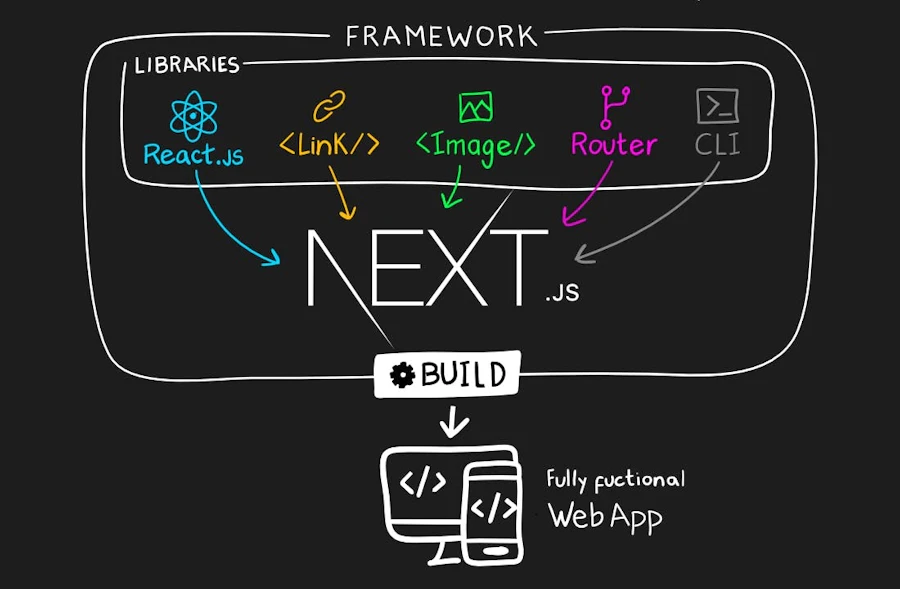
Why Next.js is the Optimal Choice for Modern Front-End Development
Introduction
In the fast-evolving world of web development, choosing the right framework can be pivotal to the success of your project. Next.js, developed by Vercel, has emerged as a leading choice for developers looking to build high-performance, SEO-friendly websites with React. Here's why Next.js should be at the forefront of your front-end development toolkit.
1. Superior Performance
Server-Side Rendering (SSR) and Static Generation
Next.js shines with its out-of-the-box support for server-side rendering, which significantly boosts page load times. Unlike traditional React apps that render on the client side, Next.js can pre-render pages at build time or on-demand, serving HTML directly to the browser. This results in:
- Faster First-Page Load: SSR reduces the time to first byte (TTFB), enhancing user experience especially on slower networks.
- Better SEO: Search engines can crawl SSR pages more effectively since the content is already embedded in the HTML, not hidden behind JavaScript.
- Automatic Code Splitting:Next.js splits your code into smaller chunks. This means that users download only the necessary parts of your application, reducing initial load time and improving performance.
2. Enhanced Developer Experience
Built-in CSS and Sass Support
Say goodbye to the hassle of managing stylesheets. Next.js supports CSS Modules out of the box, allowing developers to write component-scoped CSS, which simplifies styling and reduces style conflicts.
Hot Module Replacement (HMR)
This feature allows for real-time updates without page reloads, significantly speeding up the development process by providing immediate feedback on changes.
Zero Configuration
Next.js requires minimal setup, enabling developers to start building quickly without diving deep into configuration files.
3. SEO and Accessibility
Automatic Static Optimization
For pages without dynamic data, Next.js automatically pre-renders these into HTML files at build time. This not only speeds up the site but also optimizes SEO as search engines can index these pages immediately.
JSON-LD Support
Next.js makes it easy to implement structured data, which can enhance your site's visibility on search result pages by providing rich snippets.
Accessibility
With features like next/link for optimized, accessible navigation, Next.js ensures that applications are not only performant but also accessible to all users.
4. Scalability and Integration
API Routes
Next.js allows you to create API endpoints directly within the project's file system, streamlining the backend integration. This feature is particularly beneficial for microservices or when you need to quickly prototype or develop full-stack applications.
Ecosystem Compatibility
Being built on top of React, Next.js seamlessly integrates with the vast React ecosystem, including state management libraries like Redux or Context API, testing libraries like Jest, and more.
5. Deployment Flexibility
Vercel Integration
While Next.js was created by Vercel, its deployment isn't limited to just one platform. It works well with Vercel for zero-config deployments but also with other platforms like Netlify, AWS, or any Node.js compatible hosting service.
Incremental Static Regeneration (ISR)
For dynamic content, ISR allows you to update static content without needing to rebuild the entire site, providing a balance between static and dynamic rendering for scalability.
Conclusion
Next.js stands out not only for its performance capabilities but also for its developer-friendly features that promote SEO, accessibility, and scalability. By adopting Next.js for your front-end development, you're not just building a website; you're crafting an optimized, search-engine-friendly application that's set to perform well in the modern web ecosystem. Whether you're a beginner or an expert React developer, Next.js offers tools and features that can elevate your development experience and the end-user's interaction with your site.
SEO Tips for Your Next.js Site:
- Leverage Next.js's automatic static optimization for better page indexing.
- Use
next/headfor SEO meta tags to control page titles, descriptions, and keywords. - Implement canonical URLs to avoid duplicate content issues.
- Optimize images with
next/imagefor better performance and quicker load times.
By focusing on these aspects, your Next.js project will not only perform well but will also rank higher in search engine results, attracting more organic traffic.