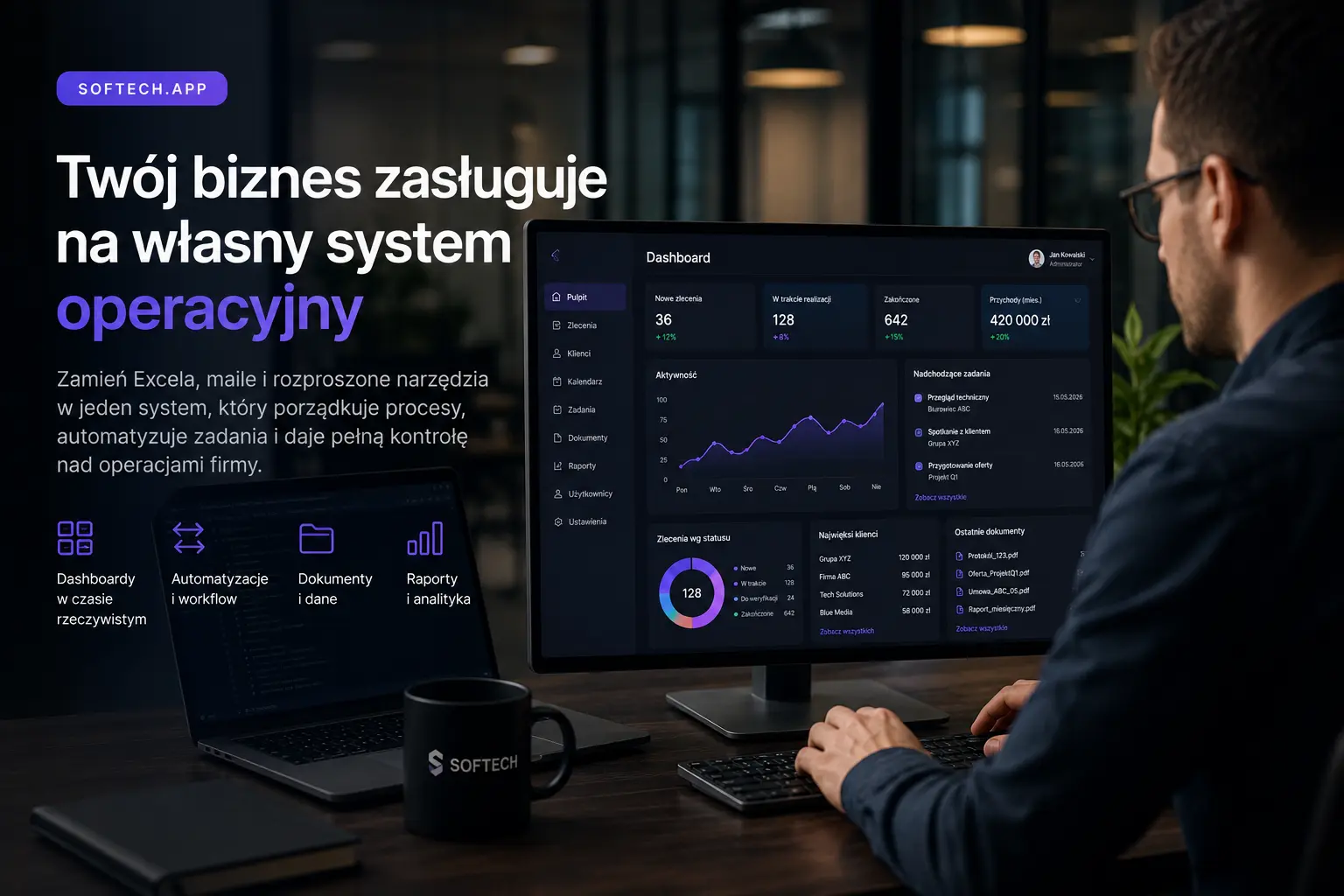
Many companies do not stop growing because they lack clients. They stop because their operational processes begin to collapse under their own weight.
At the beginning, Excel, Gmail, WhatsApp, a few forms, a ready-made CRM and manual reminders are enough. The problem appears when the company grows: more clients, orders, employees, locations, documents, statuses, deadlines, payments and exceptions appear — and they can no longer be handled from memory.
This is when the need for a dedicated web system appears — an internal business operating system. It is not another task app. It is a central system that organizes processes, automates repetitive work, connects data from different sources and gives the business owner real control over operations.
At Softech Services, we design and build web applications, SaaS platforms, internal tools and systems that automate business processes. In this article, we explain when Excel, email and ready-made SaaS tools stop being enough — and when it makes sense to build your own business operating system.
Why do companies still run on Excel?
Excel is not the problem. The problem begins when Excel starts acting as an ERP, CRM, calendar, client database, billing module and operational dashboard at the same time.
Companies use Excel because it is fast, cheap and flexible. In the first stage of growth, it is often the best tool. But when processes become repetitive, multi-user and business-critical, Excel starts creating risk.
The most common symptoms are duplicate data, no change history, multiple file versions, manual data entry errors, no automatic statuses, no reminders, no permission control and difficulty understanding who is responsible for what.
At a small scale, this is annoying. At a larger scale, it becomes expensive.
When does a ready-made SaaS stop being enough?
Ready-made SaaS tools are great when a company has a standard process. The problem begins when the company’s operating model no longer fits into generic tools.
For example, a service company may use a CRM, calendar, invoicing system, task management tool, settlement spreadsheet and a separate customer service panel. Each tool works correctly, but together they do not create one process.
Data is scattered. Employees move information between systems manually. The order status in one tool does not update in another. A client asks about something that cannot be seen in one place. A manager has to check three different tools to understand the situation.
This is the moment when the company does not need another subscription. It needs its own operating system.
What is a business operating system?
A business operating system is a dedicated web application that reflects how the organization actually works.
It can include CRM, orders, clients, calendars, documents, payments, statuses, automation, notifications, reports, user roles, integrations with external tools and AI modules.
The key point is that such a system is not built around a generic template. It is built around the company’s process.
A well-designed system answers questions such as: what is happening with every client, order or case; who is responsible for the next step; what data is missing; which deadlines are approaching; where the process is blocked; what can be automated; and which activities generate the highest operational cost.
Which processes should be automated first?
The best processes for automation have three characteristics: they are repetitive, time-consuming and error-prone.
Most often, this includes lead handling, quoting, booking, order intake, status updates, reporting, settlements, documents, customer communication, reminders, employee assignment and deadline control.
In practice, automation does not have to mean full robotization of the company. Often, the biggest impact comes from organizing a few key workflows.
For example: a lead from a form automatically enters the system, receives a status, is assigned to a person, generates a reminder, creates a task, sends an email to the client and appears in the sales dashboard — without manual copying.
A web application as the center of operations
A dedicated web application can become the place where the company manages daily work.
For a service company, this may be a system for orders, clients, deadlines and settlements. For a logistics company — routes, deliveries, drivers, statuses and complaints. For a service organization — facilities, devices, inspections, protocols, schedules and technicians. For a rental operator — bookings, availability, payments, contracts and customer support. For a marketplace — users, offers, transactions, moderation and payments.
This is why a web system is often a better first step than another mobile app. Web allows the company to build an operational dashboard faster and organize the core of the business.
Where does AI fit into this?
AI should not be added just for effect. It should solve specific operational problems.
In business systems, AI can analyze customer messages, classify requests, summarize conversations, detect missing data, generate responses, create reports, support quoting, analyze documents and suggest next steps in the process.
The strongest value comes when AI is connected to company data and workflows. A simple chatbot on the website often changes little. But an AI assistant connected to CRM, orders, documents and client history can significantly reduce the team’s workload.
How much does it cost to build a dedicated business operating system?
The cost depends on scope, but realistic ranges can be estimated.
A simple internal system with users, clients, tasks, statuses and a basic dashboard may cost between 60,000 and 150,000 PLN.
A more advanced operating system with user roles, documents, integrations, automation, payments, reports and an advanced dashboard may cost between 150,000 and 500,000 PLN.
A SaaS or enterprise-level system with many modules, API, billing, AI, multiple organizations, permissions and scalability may start from 400,000 PLN and above.
The most important question is not: how much does the system cost? A better question is: how much does the company lose every month because of operational chaos, manual processes and the lack of one source of truth?
When is it worth building your own system?
A custom system is worth considering when the company has a repeatable process that cannot be handled well with ready-made tools.
The warning signs are very specific: the company runs on multiple spreadsheets, employees copy data between systems, statuses are updated manually, clients ask for information that cannot be checked quickly, the owner cannot see operations in real time, the team loses time on repetitive work and ready-made SaaS tools require more and more workarounds.
If these problems appear every day, a custom system is not a luxury. It is an investment in operational control.
How to design an MVP of such a system?
The biggest mistake is trying to build a full ERP immediately.
A good MVP should cover one most important process. For example, order handling from creation to completion. Or booking management. Or quoting. Or document and customer status management.
In the first version, it is worth focusing on users and roles, core business objects, process statuses, a basic dashboard, notifications, change history, one or two key integrations and data export or reporting.
Only later should the company add AI, automated settlements, advanced reporting, ERP integrations, mobile modules and SaaS-level scalability.
Which technologies work best?
For modern business operating systems, a stack based on Next.js, React, Node.js or NestJS, PostgreSQL, Prisma, Redis and cloud infrastructure works very well.
This setup allows teams to build web dashboards, APIs, user roles, automation, integrations and scalable architecture quickly.
If the company also needs a mobile app, the system can be extended with React Native or Expo. The mobile app then uses the same backend and business logic.
This matters because a well-designed backend is the center of the entire product.
Why is this important for Polish companies?
Polish companies are at a specific point. On one hand, more organizations understand the need for digitalization, automation and cloud systems. On the other hand, many businesses still run on spreadsheets, emails and manual processes.
This creates a large market gap. Companies do not always need a huge enterprise system. Often, they need a well-designed dedicated tool that solves a specific operational problem.
This is not digitalization for the sake of digitalization. It is about a system that reduces errors, shortens handling time, organizes data and gives the owner control.
Examples of similar Softech projects
At Softech.app, we build systems that combine web applications, backend, automation, integrations and operational workflows.
A good example is the Fire safety equipment service management system, where facilities, devices, technicians, service orders, inspections, protocols and operational dashboards are key elements.
Another example is Gizo — mobile equipment rental app, where the mobile app is connected with booking, payments, documents and an operational dashboard.
You can explore more examples in Softech Case Studies. It is also worth checking our service scope at Softech Services.
Summary
A dedicated business operating system is not just a web application. It is a way to organize work, data, responsibility and processes.
In 2026, companies that move from spreadsheets and manual management to real-time systems will gain a competitive advantage.
Not every company needs custom software. But every company that is growing and starting to lose control over operations should ask one question: is the problem a lack of people, or a lack of system?
Very often, the answer is simple: the company does not need another spreadsheet. It needs its own operating system.